
Affiliate disclosure: As an Amazon Associate I earn from qualifying purchases. Editorial guidance below is based on documentation, not hands-on testing.
Want extra data without replacing your dashboard?
An add-on OBD-II monitor may be a practical option if your vehicle supports the readings you need. Check the manufacturer’s compatibility list before buying. This shopping link opens Amazon search results, not a verified individual product listing.
Explore ScanGauge II listings on AmazonDigital gauges suit drivers who want numerical readings and flexible information layouts. Analog gauges suit drivers who prefer familiar needle positions. Neither display format automatically provides better measurement accuracy or safety. The best choice depends on how you drive, what you find easiest to read, and how much tech you want in the cabin.
Choosing a new car or a replacement instrument cluster often raises this question. The short answer is that neither type wins every time. Digital gauges can be more useful for modern driving, but analog gauges still make sense for many people.
In this article, I’ll break down how both systems work, where each one shines, and how to decide which is better for your needs. If you’re trying to choose between a digital instrument cluster and a traditional gauge setup, this will give you a clear answer.
Are Digital Gauges Better Than Analog? The Short Answer for Drivers
- Digital gauges can make numerical readings and supported extra information easier to find.
- Analog gauges are best when you want fast visual scanning and a simple layout.
- Your driving habits matter more than the screen type alone.
When digital gauges are the better choice
Digital gauges usually make more sense if you like seeing exact numbers instead of estimating where a needle points. They are also useful when you want navigation, driver-assist info, tire data, or vehicle warnings in one place.
When analog gauges still make more sense
Analog gauges are still a strong choice if you want a display that’s quick to read with a glance. Many drivers find a needle sweep easier to process while moving, especially for speed and RPM.
Why the answer depends on your vehicle and priorities
The better gauge type depends on what you drive and how you use it. A commuter in a modern SUV may benefit from digital displays, while someone restoring a classic car may prefer the look and feel of analog dials. There’s no universal winner.
Digital Gauges vs Analog Gauges: What Each One Actually Does
How digital gauge clusters display speed, RPM, fuel, and engine data
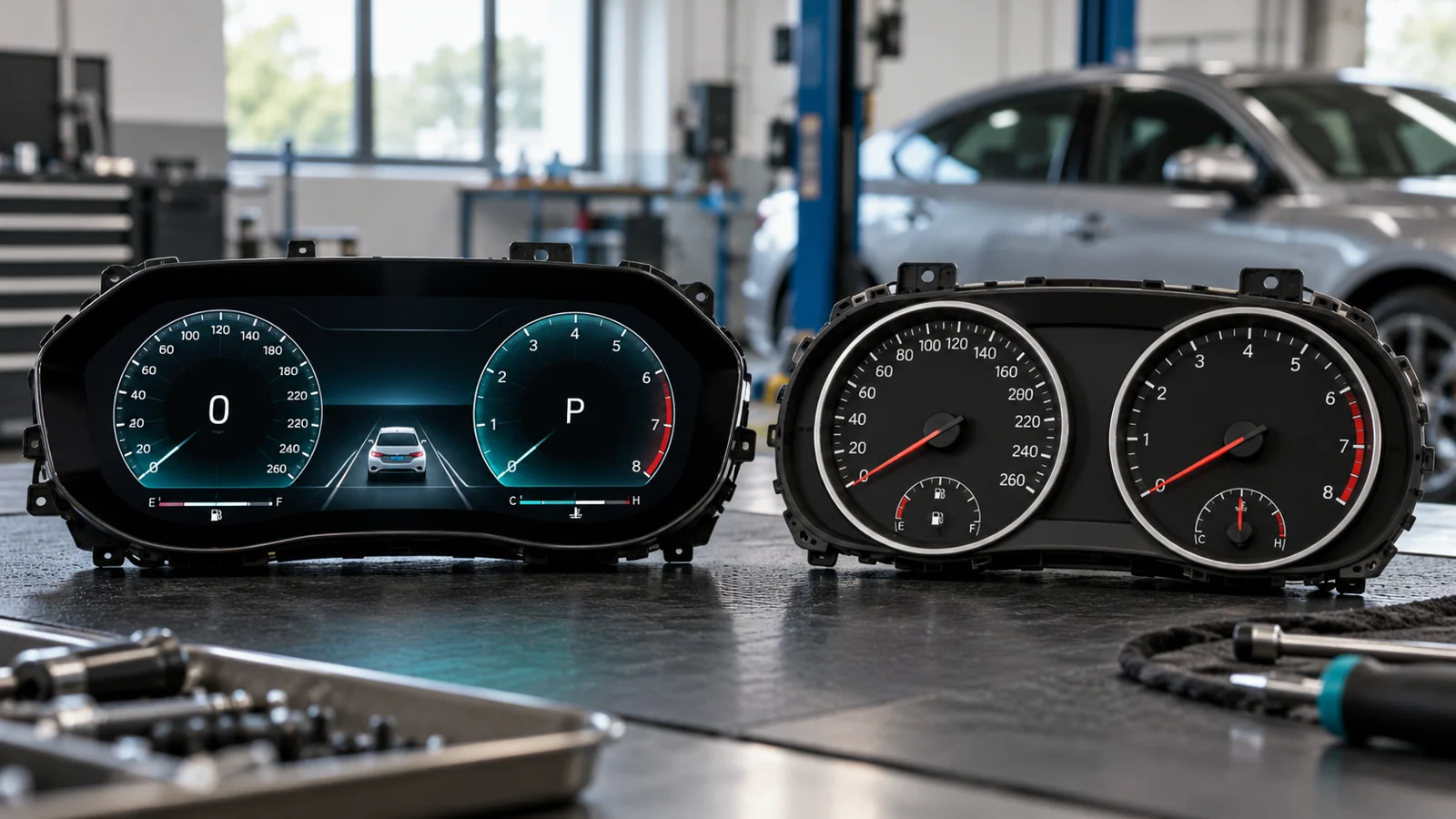
Digital gauge clusters use screens to show vehicle data as numbers, bars, graphs, or virtual dials. They can display speed, RPM, fuel range, coolant temperature, navigation prompts, and warnings in different layouts. Some systems let you switch between simple and detailed views.
How analog needle gauges work and what they show at a glance
Analog gauges use physical needles moving across marked dials. Most drivers see speed, RPM, fuel level, and engine temperature this way. A familiar needle position can convey a value within a range without requiring the driver to read individual digits. Whether it is easier to glance at depends on the layout and driver.
Side-by-side comparison of readability, precision, and driving feel
| Category | Digital Gauges | Analog Gauges |
|---|---|---|
| Readability | Very clear for exact numbers and alerts | Very fast for quick visual scanning |
| Precision | Numerical resolution depends on the design; accuracy depends on the complete measurement system | Needle position shows a range; accuracy depends on the complete measurement system |
| Customization | High, with layouts and display modes | Low, usually fixed design |
| Driving feel | Modern and tech-focused | Traditional and mechanical |
| Information density | High | Usually limited to core data |
Many modern cars use a hybrid approach, with digital displays that mimic analog needles. That gives drivers a familiar look with the flexibility of a screen.
The Biggest Advantages of Digital Gauges
Easier to read exact numbers and warnings
Digital gauges can make individual numerical readings easier to read, but showing digits does not establish accuracy. If you want to know your speed exactly, see a tire pressure warning, or track engine temperature in real time, a digital display makes that easy. That can be helpful in traffic, towing, and long trips.
Customizable layouts, colors, and display modes
One of the biggest strengths of digital gauges is flexibility. Many clusters let you change the layout, move information around, or choose different themes. Some even adjust brightness or display style based on drive mode.
More data available in one place
Digital clusters can show more than the basics. You may see navigation arrows, lane-keeping alerts, audio info, trip details, and driver-assist status without looking at the center screen. That can reduce the need to bounce between displays.
Better integration with driver-assist and vehicle tech
Digital gauges work well with modern safety and convenience systems. If your vehicle has adaptive cruise control, blind-spot alerts, or lane-centering features, the cluster can present that info in a clearer way. For current tech-heavy vehicles, this is a real advantage.
If you want to see how vehicle data systems are regulated and tested, the National Highway Traffic Safety Administration has useful safety resources at NHTSA.
The Biggest Advantages of Analog Gauges
Faster visual scanning while driving
Analog gauges can be easier to process with a quick glance. A needle position gives your brain an immediate sense of where the reading sits in the range. That’s one reason many drivers still like them for speed and RPM.
Simple, familiar, and less distracting
Analog clusters usually keep things simple. There are fewer menus, fewer modes, and less screen switching. For drivers who want to stay focused on the road, that simplicity can be a real benefit.
Often preferred for performance and classic-car feel
Enthusiasts often like analog gauges because they feel more connected to the car. In performance cars and classic builds, the sweep of a needle can add to the driving experience in a way a screen sometimes cannot.
Can still be readable in harsh sunlight or quick glances
Some digital displays can struggle with glare or angle changes, depending on the design. Analog dials can be easier to read in bright sun because the information is printed on a fixed face, not on a reflective screen.
If you test-drive a vehicle with digital gauges, check them in daylight and at night. A display that looks great in the showroom may feel different in real traffic and bright sun.
Where Digital Gauges Can Be Better Than Analog in Real-World Driving
Daily commuting and stop-and-go traffic
In commuter traffic, digital gauges can be useful because they show speed, alerts, and navigation in a clean layout. If you’re constantly adjusting to traffic flow, having exact numbers and clear warnings can make the drive feel more controlled.
Highway driving and navigation-heavy trips
On long highway trips, a digital cluster can reduce the need to look at the center screen for directions. That matters when you’re covering long distances and want to keep your attention where it belongs. For road trips, this is a strong practical advantage.
Off-road driving and monitoring multiple vehicle systems
Off-road drivers often benefit from seeing more information at once. Tire pressure, pitch and roll, compass data, and drivetrain status can all be useful. If the vehicle supports those features, a digital cluster can organize them better than a basic analog setup.
Performance driving and precise vehicle data tracking
When you want exact RPM, boost, or temperature data, digital gauges can be very helpful. That said, many enthusiasts still prefer analog tachometers for quick movement feedback. If you care about lap data or detailed monitoring, digital usually has the edge.
Don’t assume every digital cluster is better just because it has more features. A cluttered screen can be harder to read than a simple analog setup if the layout is poorly designed.
Where Analog Gauges May Still Be Better Than Digital
Older drivers or anyone who prefers instant needle movement
Some drivers simply trust analog gauges more because the motion feels immediate. If you grew up with needles and dials, the reading process may feel faster and more natural than looking for a number on a screen.
Situations where distraction reduction matters most
For drivers who want the fewest possible visual distractions, analog gauges can be a better fit. There are no menus to cycle through and no layout changes to manage. The information stays in the same place every time.
Vehicles that need simple, dependable displays
In some work trucks, fleet vehicles, and basic daily drivers, a simple analog setup is enough. If the vehicle only needs to show the essentials, there’s a lot to be said for a system that stays straightforward.
Classic cars and enthusiast builds where style matters
When style is part of the appeal, analog gauges often win. They can match the original design language of a classic car and preserve the character that owners want. For many builds, that matters just as much as function.
Your digital cluster flickers, boots slowly, loses segments, or shows false warnings. If an analog gauge sticks, jumps, or reads outside the normal range, have the system checked before you rely on it for daily driving.
Problems to Watch for With Digital vs Analog Gauges
| Issue | Digital Gauges | Analog Gauges |
|---|---|---|
| Display lag or glitching | Possible on some systems | Possible: many needle clusters use electronic control and stepper motors |
| Sunlight glare | Can be a problem on some screens | Visibility depends on reflections, contrast, and lighting |
| Wear over time | Screen failure or pixel issues can happen | Needle wear or calibration drift can happen |
| Data detail | Usually much higher | Usually limited to key readings |
| Repair complexity | Vehicle-specific; obtain a complete repair estimate | Vehicle-specific; electronic programming may still be required |
Digital display lag, glare, and screen failure risks
Digital gauges depend on electronics and software. That means they can lag, freeze, or become hard to read if the screen is damaged or the brightness is poorly set. Some systems also become harder to see in direct sun.
Analog wear, calibration drift, and lower data detail
Needle displays are not necessarily simple or fully mechanical, and they are not perfect. Springs, motors, and mechanical parts can wear out. Over time, a gauge may drift or lose accuracy. The tradeoff is that the system is usually less complex.
Repair and replacement differences
Digital clusters can be expensive to replace because they often combine display hardware, software, and vehicle-specific programming. Analog gauges can also be costly in modern cars, but older-style clusters are often easier to service. If you’re comparing long-term ownership, this matters.
What matters most for long-term reliability
Long-term reliability depends on the exact vehicle, not just the gauge type. A well-built digital cluster can last a long time, and a poor analog setup can fail early. What matters most is quality, design, and how the vehicle is maintained.
- Clear display with strong brightness control
- Simple menu layout
- Good visibility in daylight and at night
- Easy access to replacement parts
- Hard-to-read screen in sunlight
- Laggy animations or frozen gauges
- Needles that stick or move erratically
- Expensive repairs with limited parts support
How to Decide Whether Digital Gauges Are Better for You
Match the gauge type to your driving habits
If you spend most of your time commuting, traveling, or using driver-assist features, digital gauges may fit better. If you mostly want speed, fuel, and RPM without extra clutter, analog may be the better choice.
Consider visibility, customization, and distraction
Ask yourself what you notice first when driving. If you want a display that can be tailored to your preferences, digital is hard to beat. If you want one consistent layout that never changes, analog is easier to live with.
Compare maintenance, repair cost, and lifespan
Think beyond the showroom. A digital cluster may be more advanced, but it can also be more expensive to fix. Analog gauges may be simpler, but they can still age and lose accuracy. The right choice is the one you can live with for years.
Think about resale value and trim-level availability
In the U.S. market, gauge type is often tied to trim level. Higher trims may come with digital clusters, while base trims keep analog gauges. That can affect resale appeal, especially if buyers in your segment expect a modern cockpit.
- Test both gauge types in real driving conditions, not just parked in a showroom.
- Check how easy it is to read the display at night, in bright sun, and while wearing sunglasses.
- Look for a layout that shows the information you use most, not just the most features.
- If you tow, drive off-road, or track your vehicle, prioritize the data you actually need.
- For a new car, ask how the cluster is repaired or replaced before you buy.
If you’re shopping by manufacturer, many brands explain their digital cockpit and driver-display systems on their own sites. For example, Dakota Digital documents its electronic needle gauges and TFT message displays in the HDX installation and operation manual, which can help you compare features before a test drive.
Accuracy, Resolution, and Readability Are Different Things
A screen that shows another decimal place can look more precise without providing a more accurate measurement. Resolution describes the smallest displayed step. Accuracy describes how closely a measurement agrees with the true value under stated conditions. Readability describes how easily a driver can recognize the information. Treat these as separate questions when comparing clusters.
Both needle and screen systems may receive information from electronic sensors and control modules. Replacing a physical dial with a display does not repair a faulty sender, poor ground, incorrect tire-size calibration, or an interrupted data connection. A plausible-looking reading can still be wrong. If a reading changes unexpectedly, diagnose the underlying system rather than choosing a different display format.
Digital screens can also draw virtual needles. That means a screen-versus-needle comparison is partly about presentation. A large numerical speed readout and a simple virtual tachometer may suit one driver; another may prefer physical needles. Our recommendation is to compare the actual layout you will use, rather than deciding from the word “digital” on a sales page.
Three Sensible Buying Routes
Keep a working factory cluster
If your existing gauges are readable and function correctly, keeping them is often the least disruptive option. Start by deciding which information is missing. Navigation arrows, a numerical speed readout, or extra engine data may already be available through a factory menu. Review the owner’s manual while parked before buying hardware that duplicates an existing feature.
When comparing new vehicles, verify the exact model year, trim, and equipment package. A promotional photograph may show an optional display rather than the standard dashboard. Ask the dealer to demonstrate the car you will actually buy. Compare normal driving mode, warning visibility, brightness controls, and the position of essential information.
Add a compatible OBD-II monitor
ScanGauge II is an example of an add-on vehicle-data monitor. The manufacturer provides an OBD-II compatibility page and vehicle-specific information. Its purpose is supplemental monitoring; it is not a universal replacement for the factory instrument cluster. We have not tested this unit, and we do not claim that every reading is available on every supported vehicle.
Before ordering, check the vehicle’s engine, model year, region, and protocol support. If transmission temperature is your reason for buying, verify support for that exact vehicle rather than assuming that an OBD-II connector guarantees it. A monitor can only display supported information available through its connection. Use the manufacturer’s compatibility guidance as the starting point.
Mount any extra display where it does not block your view, warning indicators, or airbag deployment areas. Route its cable away from the pedals and steering components. Configure pages while parked. A compact display that requires repeated button presses during driving can defeat the purpose of simplifying your dashboard.
Choose a vehicle-specific replacement system
A full replacement cluster makes more sense during a planned restoration or when an existing cluster needs a supported replacement. Dakota Digital’s HDX documentation illustrates why the categories overlap: electronically controlled analog gauge sweeps can coexist with TFT message displays. Physical needles therefore do not mean the instrument system lacks digital electronics.
For a restoration, compare the complete installation package. Check the bezel opening, mounting points, senders, wiring, speed signal, warning indicators, and any required interfaces. Confirm what is included and what must be purchased separately. Read the system’s installation manual before removing the original instruments. A kit described as universal may still require substantial fabrication and setup.
For a modern road vehicle, ask a qualified installer whether the replacement preserves required warning lamps, vehicle-network communication, odometer records, and other integrated functions. Some installations require coding or calibration. Do not assume that a visually similar cluster can be exchanged without further work. Request a written estimate that includes those tasks.
A Practical Dashboard Test-Drive Checklist
Begin with the vehicle parked in a safe location. Adjust the seat and steering wheel to your normal driving position. Make sure the rim does not hide the speedometer or warning area. Set an ordinary display layout, then look for speed, fuel level, temperature, and any active warning. The important information should be easy to locate without exploring menus.
Compare visibility under the conditions you actually encounter. Bright daylight, low sun, and nighttime illumination can reveal different problems. If you normally wear polarized sunglasses, check the display with that pair. Reflections and viewing angles affect different dashboards differently. Avoid judging a system solely from a bright showroom demonstration.
During a permitted test drive, keep your attention on traffic and use only brief necessary glances. Ask a passenger to note observations or discuss them after stopping. Never experiment with themes, photograph the dashboard, or scroll through data pages while moving. A familiar, uncluttered layout is a better starting point than one filled with every available metric.
Finally, ask about repair support. Find out whether the cluster can be repaired, whether parts are available, and whether replacement requires programming. A quoted part price may exclude labor, coding, or related fault diagnosis. These details are more useful for ownership decisions than a blanket claim that one display format always costs less.
Related Guides
- What a digital gauge cluster does
- CAN bus gauges and vehicle data support
- Digital gauge buying options for cars and builds
- Digital cluster reliability and repair considerations
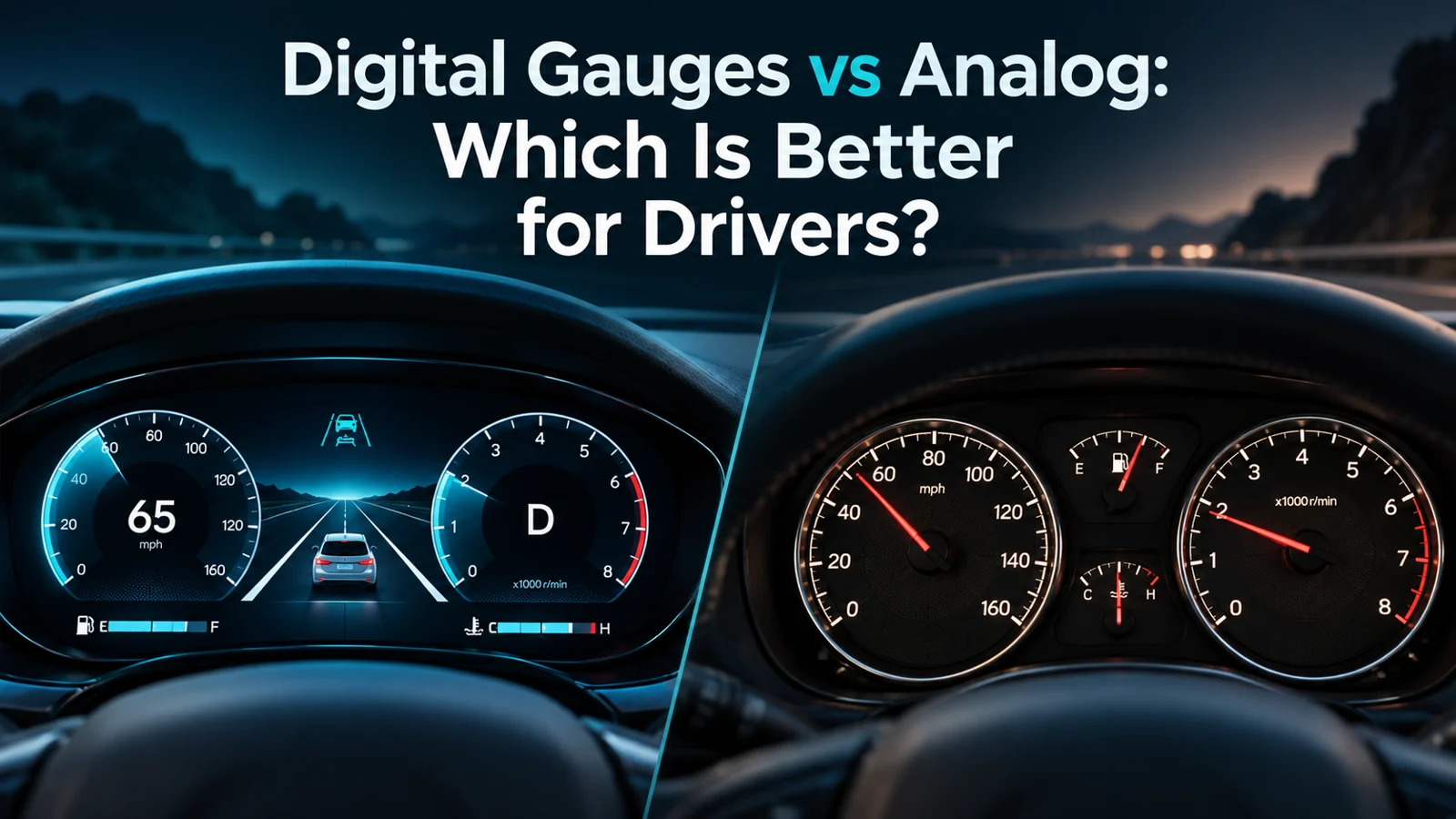
About this guide: Published under the existing Jake Morrison author account. This comparison provides editorial buying guidance and does not report original hands-on testing. Generated illustrations are conceptual and do not depict a specific purchasable product.
FAQs About Whether Digital Gauges Are Better Than Analog
Not automatically. More displayed digits are not proof of measurement accuracy. Sensors, calibration, data processing, and the display all matter; estimated fuel range is not a direct measurement.
They can last a long time, but they rely on electronics and screens, which may fail differently than mechanical parts. Analog gauges also wear out over time. Longevity depends more on build quality than the format alone.
They can be easier for some drivers to scan quickly, which may reduce distraction. But safety depends on the whole design of the dash, the size of the display, and how much attention the driver needs to spend on it.
Yes, some can. Brightness, anti-glare coating, screen angle, and dashboard design all affect visibility. Many modern systems are much better than older ones, but it’s still worth checking in daylight.
For a daily driver, prioritize a clear and familiar layout. Digital gauges can offer useful information and flexibility. If you prefer simplicity and easy scanning, analog gauges may still be the better daily choice.
Digital gauges suit drivers who want numerical readings, supported extra information, and flexible layouts. Analog gauges are better for drivers who value speed of reading, simplicity, and a classic feel. If you’re choosing between them, the best answer is the one that matches how you drive and what keeps you focused on the road.
- Digital gauges give you more data and more layout options.
- Some drivers find familiar needle positions easier to scan; layout and individual preference matter.
- Digital systems fit modern tech-heavy vehicles well.
- Analog systems still make sense for simplicity and classic style.
- The best choice depends on visibility, repair costs, and your driving habits.