
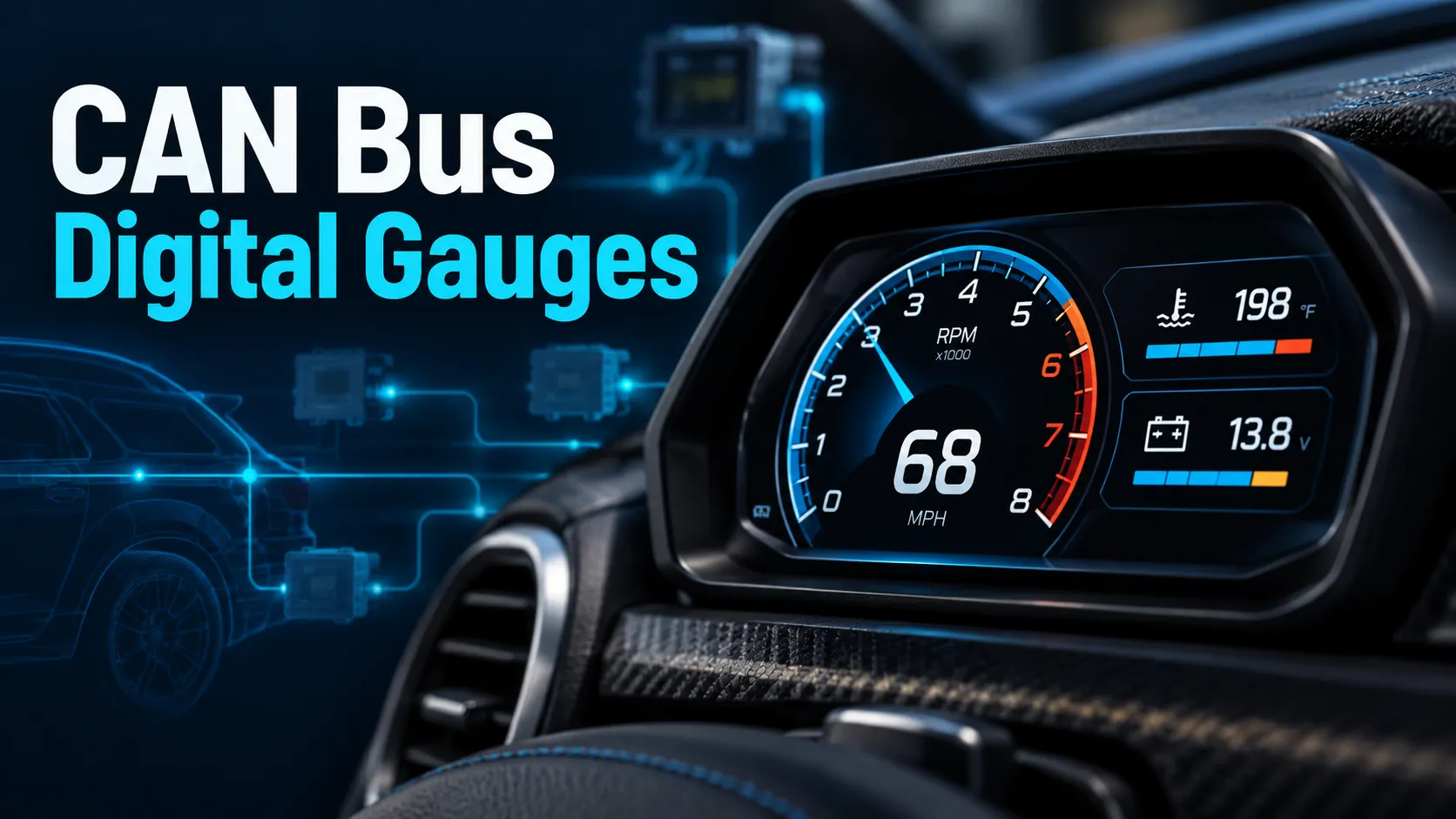
A CAN bus digital gauge is a display that reads live vehicle data from the CAN network instead of relying only on separate sensors. It can show things like RPM, coolant temperature, boost, and warning alerts in one clean screen, as long as it matches your vehicle’s communication protocol and data source.
If you want a cleaner dashboard with real-time engine data, a CAN bus digital gauge is one of the smartest upgrades you can make. I use the term for digital displays that tap into the vehicle network, which can simplify wiring and give you more flexible readouts than old-school gauges.
In this article, I’ll explain how these gauges work, what they can display, how to choose one, and what usually goes wrong during installation. I’ll also compare them with traditional analog gauges so you can decide if one fits your build.
What a CAN Bus Digital Gauge Is and How It Works
CAN bus signal basics for automotive gauges
CAN stands for Controller Area Network. It is the communication system many modern vehicles use to let modules share data with each other. Instead of each sensor running to a separate gauge, the vehicle can send data across the network in digital form.
That matters because a gauge does not always need to “measure” the engine itself. It can read the data already being reported by the ECU, transmission module, ABS module, or another control unit.
Many late-model vehicles already share dozens of data points over CAN, even if the driver never sees them on the factory cluster.
How a digital gauge reads data from the vehicle network
A CAN bus digital gauge listens to messages on the network and translates them into readable values. For example, one message may carry engine speed, another may report coolant temperature, and another may carry vehicle speed.
The gauge has to know which messages to look for and how to decode them. That is why setup matters so much. If the gauge is programmed for the wrong vehicle profile or protocol, the numbers will be wrong or blank.
Some systems also accept analog sensor inputs. In that case, the gauge can read CAN data for factory information and analog inputs for add-on sensors like boost or oil pressure.
What makes a CAN bus digital gauge different from analog gauges
Analog gauges use a needle and a direct sender or sensor. They are simple, familiar, and often easy to understand at a glance. A CAN bus digital gauge uses a screen and software to display data from the vehicle network.
The big advantage is flexibility. One display can show multiple data points, warning messages, and custom layouts. The tradeoff is that setup is more involved, and compatibility depends on the vehicle’s electronics.
Not every digital gauge is a CAN bus gauge. Some only read external sensors, while others can do both CAN and analog inputs.
Which Vehicles and Applications Support a CAN Bus Digital Gauge
| Vehicle/Application | CAN Bus Support | Typical Gauge Use |
|---|---|---|
| Modern passenger cars | Usually yes | RPM, temp, speed, alerts |
| Late-model trucks | Usually yes | Transmission temp, boost, towing data |
| Motorcycles with digital networks | Sometimes | Compact multi-function displays |
| Standalone ECU builds | Yes, if supported by the ECU | Race data, warning lights, logging |
| Older vehicles | Usually no factory CAN access | Needs aftermarket ECU or converters |
Modern cars, trucks, and motorcycles with CAN communication
Most vehicles sold in the U.S. over the past two decades use CAN in some form. That includes many cars, light trucks, diesel pickups, and a growing number of motorcycles and powersports machines.
For these vehicles, a CAN bus digital gauge often plugs into an existing communication line or an ECU output designed for data sharing. The exact method depends on the make and model.
For background on vehicle electronics and safety standards, I like pointing readers to the National Highway Traffic Safety Administration, which is a solid source for U.S. vehicle safety and standards information.
Factory ECU integration vs standalone engine management
Factory ECU integration works best when the gauge supports the vehicle’s native protocol. In that case, the gauge can pull data directly from the stock computer with minimal added hardware.
Standalone engine management is common in modified street cars, drift builds, race cars, and engine swaps. Here, the ECU often provides a clean data stream the gauge can read. This can make the install easier than trying to add a pile of separate senders.
Do not assume every standalone ECU uses the same CAN layout. Always confirm the gauge supports your exact ECU brand and firmware version.
Common use cases for street, off-road, diesel, and race builds
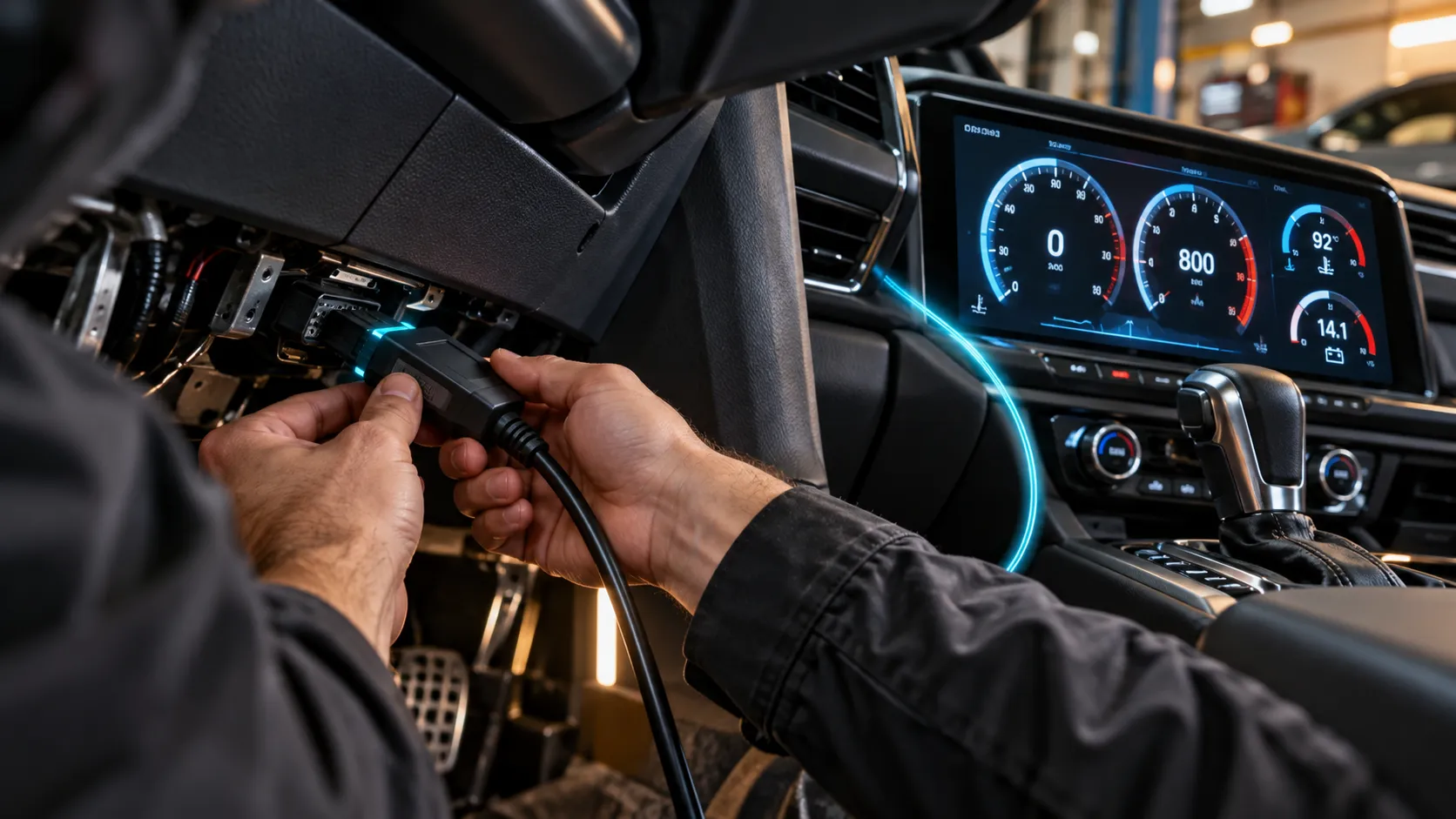
Street builds use these gauges for a cleaner dash and better visibility. Off-road trucks often use them to monitor temps and boost while towing, crawling, or running larger tires. Diesel owners like them for transmission temperature, exhaust-related monitoring, and boost tracking.
Race builds benefit from the ability to show multiple channels and set alerts. A driver can watch critical data without crowding the cockpit with several separate gauges.
What a CAN Bus Digital Gauge Can Display
Engine speed, coolant temp, oil pressure, and battery/” title=”8 Best Cordless Inflators Battery Operated for Fast, Convenient Inflation”>battery voltage
These are the core readings most buyers want first. Engine speed helps with shifting and tuning. Coolant temperature helps prevent overheating. Oil pressure is critical for engine protection, and battery voltage can reveal charging issues early.
Transmission temp, boost, AFR, fuel level, and speed
Depending on the vehicle and data source, a CAN bus digital gauge can also show transmission temperature, boost pressure, air-fuel ratio, fuel level, and vehicle speed. Some of these values come directly from the factory network, while others may require extra sensors or a tuned ECU.
Boost and AFR are especially useful on turbocharged and performance builds. Transmission temp matters a lot on towing rigs and automatic-equipped trucks.
Warning lights, shift alerts, and custom data pages
One of the best parts of a digital gauge is the ability to set alerts. You can program warning lights for high temp, low pressure, or over-boost conditions. Many systems also support shift lights and custom pages that change based on driving mode.
If you drive a performance vehicle, set your warning thresholds before daily use. That way, the gauge is ready to protect the engine the first time a problem shows up.
How to Choose the Right CAN Bus Digital Gauge
- Confirm your vehicle’s CAN protocol or ECU support
- Check screen size and daylight readability
- Verify the data channels you want are available
- Look for sensor compatibility if you need analog inputs
- Choose a mounting style that fits your interior
- Compare logging, alerts, and app support
Matching the gauge to your vehicle’s CAN protocol
This is the first thing I would verify. A gauge can only read data it understands. Some are built for specific makes, models, or ECUs. Others are more universal but still need proper configuration.
Screen size, brightness, and readability in daylight
A gauge that looks great in the garage may be hard to read in full sun. Brightness, contrast, and viewing angle matter a lot in real driving. If the display will sit in a pillar pod or on top of the dash, make sure the screen is easy to read from your normal seating position.
Data channels, sensor compatibility, and expandability
Think about what you need today and what you may add later. If your build might grow, pick a gauge that can handle extra inputs, more pages, or logging. That gives you room to expand without replacing the whole unit.
Mounting style, bezel design, and interior fitment
Fitment matters more than many buyers expect. Some gauges look best in a factory-style bezel. Others work better in a dash pod or custom bracket. The right mounting style should match your interior and keep the display easy to see without blocking controls.
Budget vs premium features, logging, and app support
Budget models can be fine if you only need basic data. Premium units usually add better displays, more channels, stronger software, and data logging. App support can also be helpful if you want to review trends later or fine-tune alert settings.
How to Install a CAN Bus Digital Gauge Correctly
Confirm the correct CAN high and CAN low wires with the vehicle diagram or ECU documentation. Mixing them up can prevent communication or cause errors.
Use the right network source. Some vehicles have multiple CAN lines, and not all of them carry the same data.
Secure the display in a location with good visibility. Route wires away from hot exhaust parts, sharp edges, and moving components.
Load the correct vehicle or ECU profile, then assign each data channel. This is where most setup issues begin, so take your time.
Watch the gauge during startup and idle. Confirm that readings are stable, alerts trigger correctly, and the display powers up the way you expect.
For wiring best practices and vehicle electrical basics, the Bosch Mobility site is a useful technical reference because Bosch supplies a lot of automotive electronics used across the industry.
Verify CAN high and CAN low connections before wiring
Before you connect anything, identify CAN high and CAN low correctly. Many communication issues come from simple wiring mistakes. Use the service manual, ECU pinout, or a trusted wiring diagram.
Identify the correct CAN bus source in the vehicle
Some vehicles have a high-speed network for powertrain data and another network for body functions. If you tap the wrong one, the gauge may not see the values you want.
Mount the gauge and route power, ground, and data wiring
Keep the install neat and protected. Good grounding is just as important as the data line itself. Poor grounds can create noise, flicker, or random resets.
Configure the gauge software and select the proper vehicle profile
Most digital gauges need some setup through buttons, a PC program, or a mobile app. Pick the correct profile, then map the channels carefully. If the gauge offers a calibration step, complete it before driving.
Test live data, warning functions, and startup behavior
Start the vehicle and watch the display through idle and a short drive. Check that the numbers make sense compared with another trusted source, such as the factory cluster or a scan tool.
Common Problems with CAN Bus Digital Gauges and How to Fix Them
No data on the screen
If the screen powers up but shows no live data, the gauge may be on the wrong network, the wrong profile, or the wrong protocol. Start by confirming the connection, then verify the ECU or vehicle setting.
Wrong readings or lagging values
Wrong numbers often point to a channel mapping issue. Lag can happen if the gauge is reading the wrong source or if the vehicle sends data slowly. Recheck the software setup and compare the values with a known-good scan tool.
Gauge flicker, rebooting, or power issues
Flickering and resets usually point to poor power, weak ground, or a loose connection. Check voltage at the gauge under load and inspect all terminals. If the gauge is sharing a circuit with noisy accessories, move it to a cleaner power source.
CAN bus communication errors and protocol mismatch
If the gauge cannot decode the network, the protocol may not match the vehicle. This is common on swaps, modified ECUs, and imported vehicles. Make sure the gauge supports the exact communication standard used by your setup.
Interference from poor grounding or incorrect wiring
Electrical noise can create unstable readings. Keep signal wiring away from ignition wires, alternator output cables, and high-current accessories. A solid ground point helps a lot.
You are dealing with a swapped engine, a custom standalone ECU, or repeated CAN faults that do not clear after checking wiring. At that point, a professional with the right scan tools can save you a lot of time.
Pros and Cons of a CAN Bus Digital Gauge
- Cleaner installation with fewer separate sensors
- Real-time data in one display
- Custom layouts and warning alerts
- Strong factory ECU integration on supported vehicles
- Compatibility depends on the vehicle or ECU
- Setup can be more complex than analog gauges
- Higher cost for advanced features
- Limited value if the vehicle does not share the data you need
Benefits: cleaner installation, real-time data, and customization
A digital gauge can simplify the dashboard and reduce clutter. It also gives you flexible screen layouts, live data, and alert functions that are hard to match with a basic analog setup.
Benefits: fewer sensors and better factory ECU integration
When the vehicle already broadcasts the data you need, you may not need to add separate senders for every reading. That can reduce install time and help keep the engine bay cleaner.
Drawbacks: compatibility limits, setup complexity, and cost
The biggest downside is that these gauges are not universal in the way many buyers expect. If the gauge does not support your ECU, protocol, or network, it will not deliver the data you want. Premium units can also get expensive.
Drawbacks: dependence on vehicle data availability
If the factory network does not share a certain value, the gauge cannot display it unless you add another sensor or module. That is the main limitation to keep in mind before you buy.
CAN Bus Digital Gauge vs Traditional Analog Gauges
| Category | CAN Bus Digital Gauge | Traditional Analog Gauge |
|---|---|---|
| Accuracy and response speed | Fast when the data source is good | Very direct and easy to trust |
| Installation complexity and wiring count | Often fewer wires, but more setup | More individual sensors and wires |
| Visibility, customization, and alerts | Excellent for custom pages and warnings | Simple, fixed display |
| Cost, maintenance, and long-term flexibility | Higher upfront cost, more flexible | Lower cost, less flexible |
Accuracy and response speed
Both types can be accurate when installed correctly. Analog gauges feel straightforward because they are tied directly to a sensor. Digital gauges can be just as useful, but their accuracy depends on the quality of the data source and the setup.
Installation complexity and wiring count
Analog gauges often need more individual senders and wires. Digital CAN gauges may reduce wiring, but they usually require more configuration and a better understanding of the vehicle network.
Visibility, customization, and alerts
This is where digital gauges stand out. You can change layouts, add alerts, and show multiple values on one screen. Analog gauges keep things simple, which some drivers still prefer.
Cost, maintenance, and long-term flexibility
Analog gauges often cost less up front. Digital gauges may cost more, but they can offer better long-term flexibility if you plan to modify the vehicle or add more monitoring later.
- Use a scan tool to verify the gauge readings after installation.
- Keep the gauge software updated if the manufacturer supports updates.
- Label every wire during install so troubleshooting is easier later.
- Choose warning thresholds based on your engine, not generic numbers.
- Test the display in daytime and nighttime conditions before final mounting.
A CAN bus digital gauge is a strong choice if your vehicle shares the data you need and you want a cleaner, smarter dashboard. The best results come from matching the gauge to the vehicle protocol, wiring it correctly, and setting it up with the right data profile from day one.
Frequently Asked Questions About CAN Bus Digital Gauge Systems
No. It needs a vehicle or ECU that shares compatible CAN data, or it needs another supported source. Older vehicles may need an aftermarket ECU, adapter, or external sensors.
Often yes, if the gauge supports your vehicle’s factory protocol and the data you want is available on that network. Some factory ECUs are easier to integrate than others.
Common readings include RPM, coolant temperature, oil pressure, voltage, speed, boost, transmission temperature, fuel level, and warning alerts. Exact support depends on the vehicle and the gauge.
The wiring can be simpler than a full set of analog gauges, but setup is usually more technical. You need the right network source, correct wiring, and proper software configuration.
The most common causes are the wrong profile, incorrect channel mapping, a protocol mismatch, or a poor connection. Start by checking the vehicle compatibility and the gauge configuration.
- A CAN bus digital gauge reads data from the vehicle network instead of relying only on separate sensors.
- It works best on vehicles or ECUs that already share useful live data.
- These gauges can display RPM, temps, boost, voltage, alerts, and more.
- Compatibility, wiring, and software setup are the biggest factors in success.
- They offer cleaner installs and more flexibility than many analog gauge setups.