
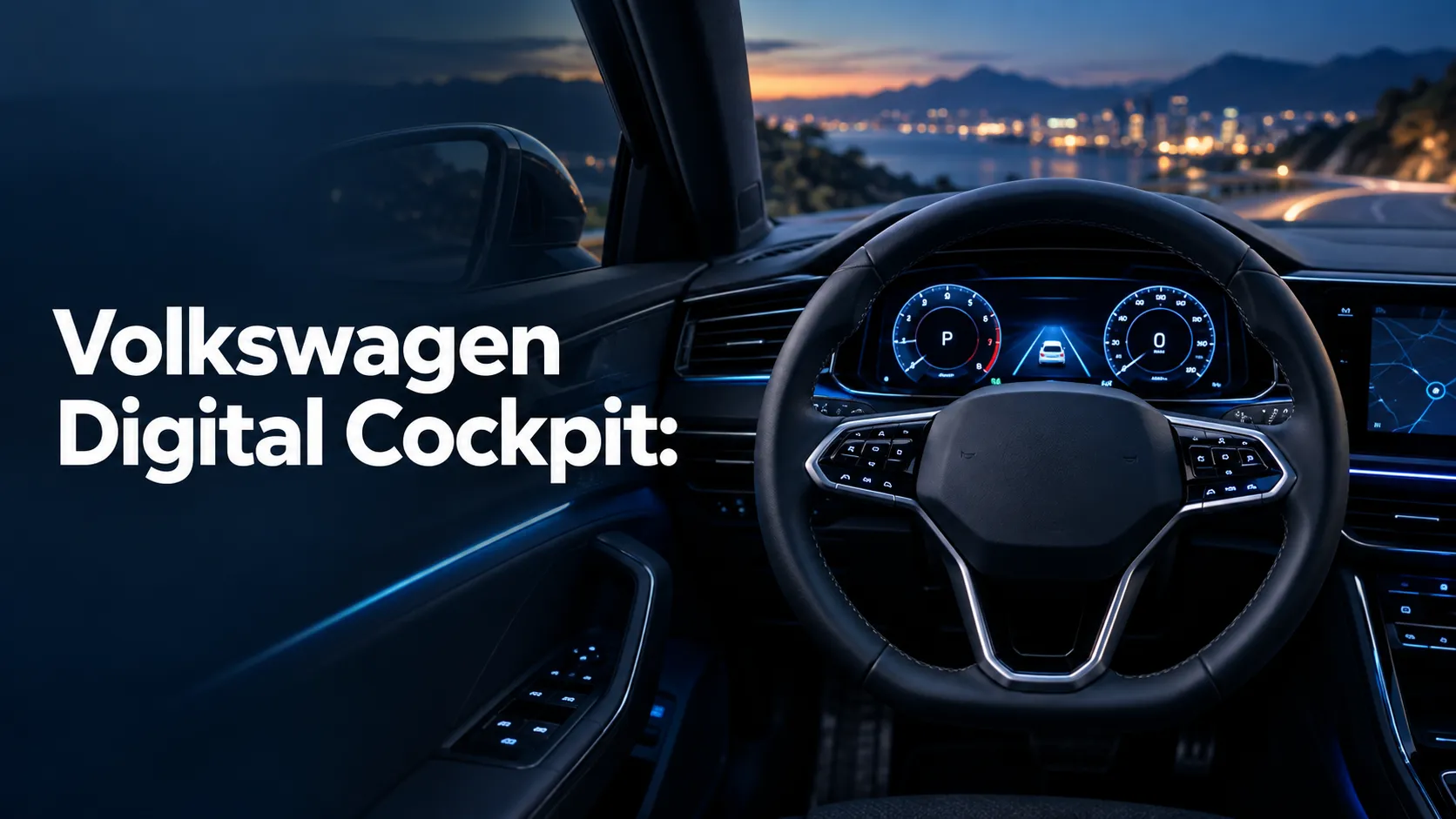
Volkswagen’s digital gauge cluster is called the Digital Cockpit. On many higher trims, VW calls the upgraded version Digital Cockpit Pro, which adds more display options, richer navigation views, and extra customization.
If you’ve seen a Volkswagen with a full digital instrument panel and wondered what it’s called, you’re not alone. I’m going to clear up the naming, explain how it works, and show you how to tell whether your VW has the standard setup or the more advanced version.
Volkswagen has used a few names over the years, and that’s where a lot of confusion starts. The good news is the system is easy to understand once you know the difference between Digital Cockpit, Digital Cockpit Pro, and the broader terms people use for the same feature.
What Volkswagen’s Digital Gauge Cluster Is Called
Volkswagen’s digital gauge cluster is officially called the Digital Cockpit. If your Volkswagen has the higher-end version, VW usually names it Digital Cockpit Pro. Both terms refer to the fully digital driver display behind the steering wheel, where traditional analog gauges would normally sit.
In plain language, it’s the screen that shows your speed, engine RPM, fuel level, warning lights, navigation prompts, and other vehicle info. Instead of fixed dials, you get a configurable display that can change based on what you want to see.
Some owners still call it a “digital instrument cluster” or “virtual cockpit,” but Volkswagen’s own naming is usually Digital Cockpit or Digital Cockpit Pro.
The Official Volkswagen Name for the Digital Gauge Cluster: Digital Cockpit and Digital Cockpit Pro
| Name | What It Means | Typical Features |
|---|---|---|
| Digital Cockpit | Volkswagen’s standard digital driver display | Speed, RPM, fuel, warning icons, basic customization |
| Digital Cockpit Pro | More advanced version of the same display | Expanded layouts, map integration, more detailed info views |
How Volkswagen uses the “Digital Cockpit” naming across models
VW does not always use the same exact wording on every model and trim. In some vehicles, the standard display is simply called Digital Cockpit. In others, especially higher trims, the upgraded version is labeled Digital Cockpit Pro to separate it from the simpler display.
That naming helps shoppers see the difference in equipment without having to study every technical detail. If you are comparing trims, the Pro version is usually the one with more screen flexibility and a more polished interface.
What “Digital Cockpit Pro” adds over the standard version
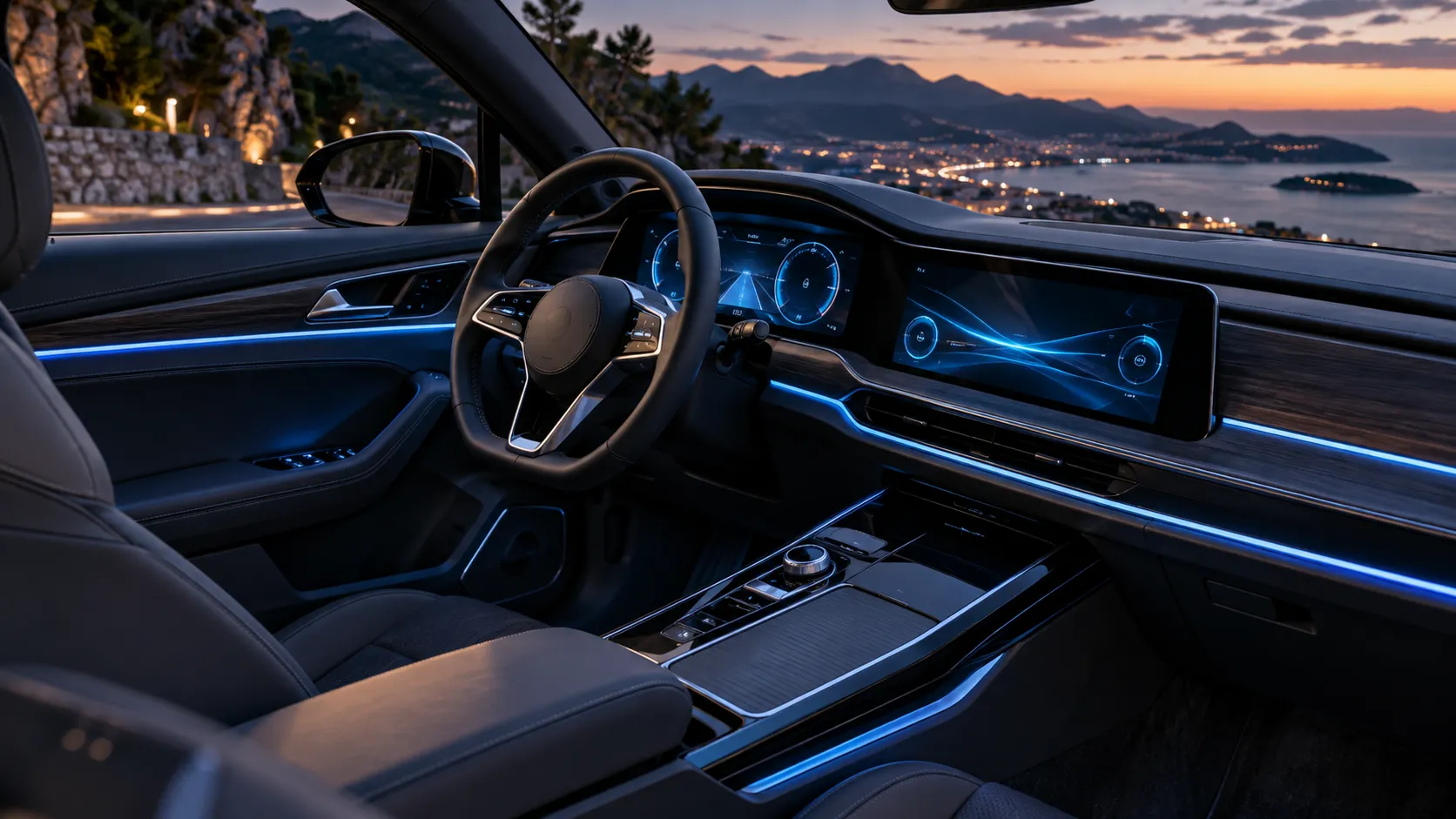
Digital Cockpit Pro usually gives you more screen space for information and more ways to arrange it. In many models, that means a larger display, a better-looking map view, and more data in the center of the cluster.
The exact features can vary by model year and trim, but the Pro version is the one most buyers notice as the more advanced setup.
Why some owners also call it a virtual cockpit or digital instrument cluster
People often use “virtual cockpit” as a general term because other brands have used that name for similar displays. “Digital instrument cluster” is also a common industry term. Those phrases are not always Volkswagen’s official branding, but they describe the same type of feature.
Volkswagen’s naming can differ by market and model year. The same basic display may be described slightly differently in a brochure, on a window sticker, or in the owner’s manual.
How Volkswagen’s Digital Gauge Cluster Works in Everyday Driving
The cluster shows the basics you need while driving, including speed, engine RPM, fuel level, temperature, and warning lights. In most daily situations, this is the information you glance at most often.
Depending on trim, the display can also show turn-by-turn directions, lane guidance, driver-assist status, phone calls, and music information. That keeps more of your driving info in one place.
You usually control the cluster with buttons on the steering wheel. That lets you switch views, move through menus, and choose what information appears in the center of the screen.
For everyday driving, the system is designed to reduce the need to look away from the road. If you want a map in front of you, you can often put one there. If you prefer a cleaner layout with just the essentials, you can usually switch back.
For official Volkswagen model information and feature descriptions, I always recommend checking the brand’s own site at Volkswagen USA. For road-safety guidance on driver distraction, the NHTSA distracted driving resource is worth reading.
Which Volkswagen Models Use the Digital Cockpit Name
| Model family | Common display name | Availability |
|---|---|---|
| Jetta, Taos, Tiguan, Atlas, ID.4, Golf GTI, Golf R | Digital Cockpit or Digital Cockpit Pro | Depends on trim and model year |
| Entry trims on some models | Basic digital display or partial digital cluster | May not include full customization |
| Higher trims and special packages | Digital Cockpit Pro | Usually includes more advanced display functions |
Volkswagen models with standard Digital Cockpit
Many Volkswagen models offer the standard Digital Cockpit on mid-level trims or as part of a package. This version still gives you a clean digital readout, but it may be more limited in layout choices and map display options.
Volkswagen models with Digital Cockpit Pro
Digital Cockpit Pro is more common on higher trims. It is often found where VW wants to highlight premium features, such as a larger infotainment screen, better driver-assist tech, or more advanced interior equipment.
How trim level and model year affect availability
Availability changes by model year, trim, and even the supply situation for a given year. That means a 2023 trim and a 2025 trim with the same name may not have identical equipment. The best way to confirm is to check the exact trim sheet or window sticker.
Do not assume every Volkswagen with a digital-looking dash has Digital Cockpit Pro. Some trims use a simpler setup that looks similar at a glance but offers fewer display options.
Key Features of Volkswagen’s Digital Gauge Cluster
| Feature | What it does | Why it matters |
|---|---|---|
| Custom layouts | Lets you change the cluster view | Matches the display to your driving style |
| Map integration | Shows navigation in the cluster | Reduces eye movement between screens |
| Vehicle status readouts | Shows warnings and system info | Helps you monitor the car at a glance |
Custom display layouts and view modes
One of the biggest benefits of the Digital Cockpit is flexibility. You can often choose a view that emphasizes the speedometer, one that focuses on trip data, or one that gives more room to navigation.
Map integration and turn-by-turn directions
On equipped models, the cluster can show navigation directions right in front of you. That is useful in city driving, highway exits, and unfamiliar areas. It keeps directions in your line of sight without relying only on the center screen.
Driver assistance and vehicle status readouts
Depending on the model, the display may show adaptive cruise control status, lane-keeping info, traffic sign data, and other alerts. It can also surface low fuel warnings, tire-pressure messages, and other vehicle status updates.
Benefits of Volkswagen’s Digital Cockpit vs. Traditional Analog Gauges
- Cleaner, modern look
- More display flexibility
- Navigation and alerts in one place
- Easy to read in many lighting conditions
- Can be distracting if you change views too often
- Repairs may cost more than analog gauges
- Glare or brightness issues can happen
- Software bugs can affect the display
Better visibility and easier information scanning
A digital cluster can make it easier to read important data quickly. Large numbers, clear icons, and flexible layouts help many drivers process information faster than with small analog needles and fixed dials.
More customization for different driving styles
If you like a sporty layout, a simple layout, or a navigation-heavy layout, the Digital Cockpit can adapt. That makes the same vehicle feel more personal without changing the hardware.
Potential drawbacks: glare, distraction, and repair cost
Digital displays are not perfect. Bright sunlight can create glare in some conditions, and too many menu changes can pull attention away from the road. If the screen or control module fails, repair costs can also be higher than with traditional gauges.
- Set your preferred cluster view before you start driving so you are not adjusting menus on the road.
- Use the navigation view only when it helps; a simpler layout is often easier for long highway drives.
- Check brightness and theme settings if the display looks washed out in daylight.
- Keep your infotainment software updated, since cluster behavior can depend on system software.
Common Problems with Volkswagen Digital Cockpit Displays
Screen freezing, blank display, or startup issues
Some owners report a frozen screen, a blank startup, or a display that takes too long to wake up. That can happen because of a software hiccup, a low battery/” title=”8 Best Cordless Inflators Battery Operated for Fast, Convenient Inflation”>battery issue, or a temporary communication fault between modules.
Dim display, dead pixels, or software glitches
A display that looks too dim, has odd spots, or shows strange menu behavior may need a settings check first. Sometimes the problem is simple brightness adjustment. In other cases, the issue is software-related and may need an update or a dealer diagnosis.
When to check settings, update software, or visit a dealer
If the issue is minor, start with the display settings and restart the vehicle. If the problem repeats, check whether there is a software update available for your infotainment system. If the cluster goes blank, flickers, or shows warning lights that do not make sense, it is time for professional service.
The digital cluster stays blank, repeatedly reboots, shows incorrect vehicle warnings, or loses communication with other systems. That can point to an electrical or module issue that needs proper diagnosis.
How to Tell If Your Volkswagen Has the Digital Cockpit or Digital Cockpit Pro
Look at the display behind the steering wheel. If it shows a fully digital screen with multiple layouts and menu choices, you likely have Digital Cockpit. If the map and data views are more advanced, it may be Digital Cockpit Pro.
Your trim sheet or original window sticker usually lists the exact equipment. The owner’s manual can also describe how the cluster is labeled on your specific model year.
Some Volkswagen systems show vehicle equipment in the infotainment menus. You can also ask a dealer to decode the VIN and confirm the original build sheet.
Tip: If you are shopping used, do not rely on photos alone. Ask for the trim level, equipment list, and VIN so you can confirm whether the car has the standard Digital Cockpit or Digital Cockpit Pro.
Frequently Asked Questions About Volkswagen’s Digital Gauge Cluster Name
Not exactly. Volkswagen officially uses Digital Cockpit, while “Virtual Cockpit” is a more general term people often use for digital instrument clusters. The feature is similar, but the branding is different.
For many drivers, yes. If you want better navigation integration, more display options, and a more premium feel, Digital Cockpit Pro is a worthwhile upgrade when it is available on your trim.
No. Most Volkswagen models with Digital Cockpit allow some customization, but the amount of control depends on the model, trim, and software version.
On equipped models, it usually replaces the main instrument panel. You still get the same core driving information, but it is shown on a screen instead of physical dials.
Usually not in a simple or factory-approved way. Because the display is tied to vehicle electronics and software, upgrades are often limited or impractical on older models.
Volkswagen’s digital gauge cluster is called the Digital Cockpit, and the more advanced version is Digital Cockpit Pro. If you know those two names, you can quickly understand what a VW listing, brochure, or owner’s manual is talking about.
- Volkswagen’s official name is Digital Cockpit.
- The upgraded version is called Digital Cockpit Pro.
- Owners may also call it a virtual cockpit or digital instrument cluster.
- Features vary by model year, trim, and package.
- Check the window sticker, owner’s manual, or VIN to confirm the exact setup.